CommunicationProduct guide
Direct messaging
Keep operational conversations attached to the correct farm relationship while messages arrive in real time and reconcile after reconnecting.
- Real-time delivery
- Replies and reactions
- Unread indicators
- Block and report controls
Inside the app
See the workflow.
Actual Farmroute screens from the farm and employee demo accounts.
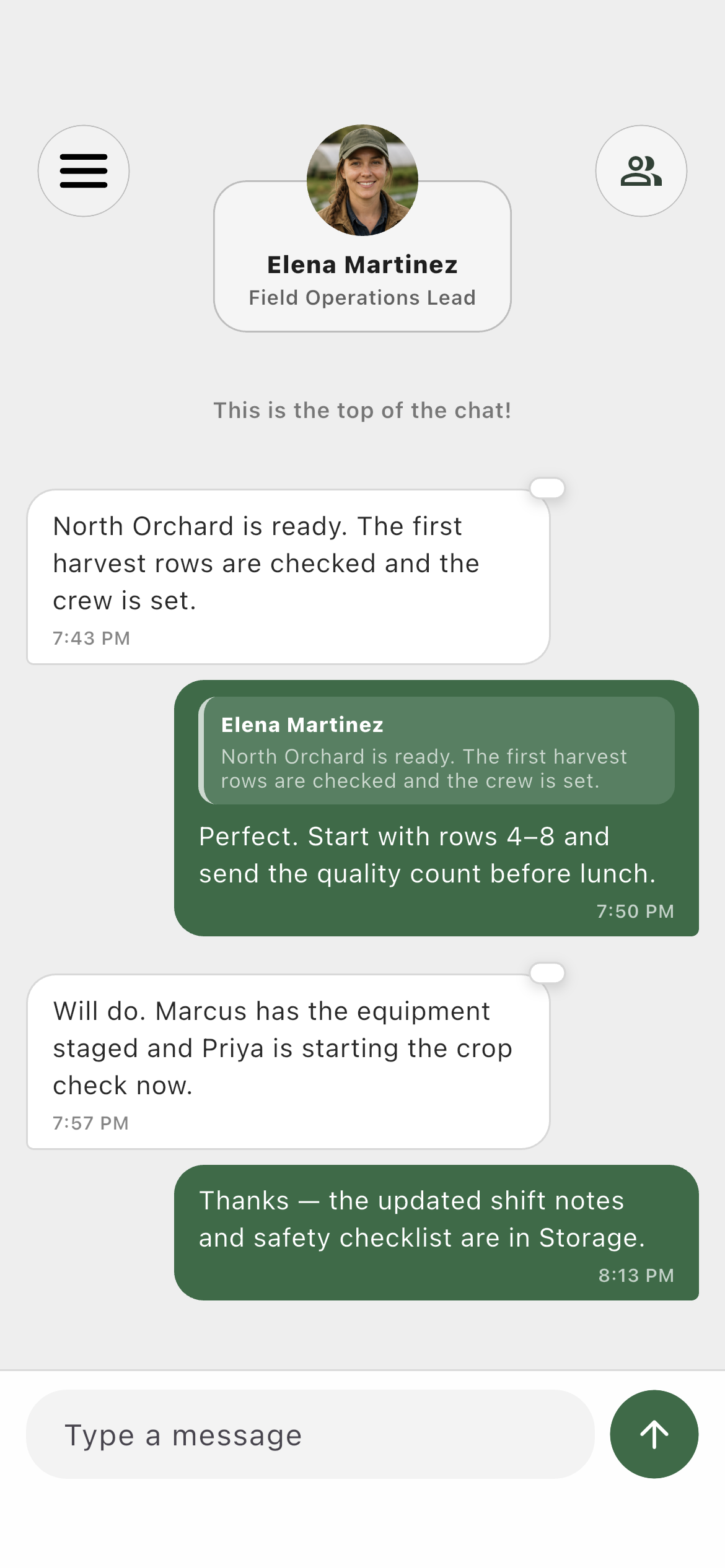
Farm profile01
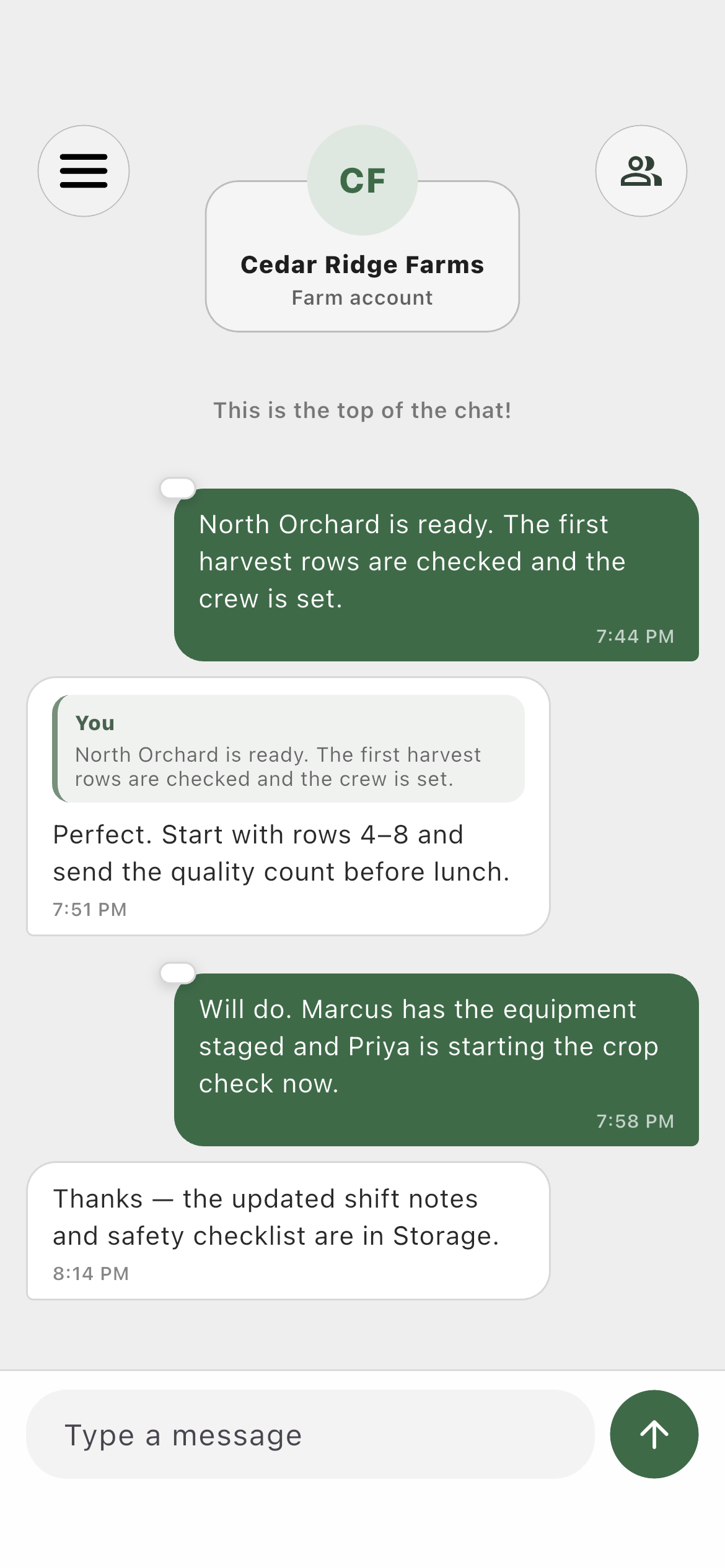
A farm-to-worker conversation with message history and composer.Employee profile02
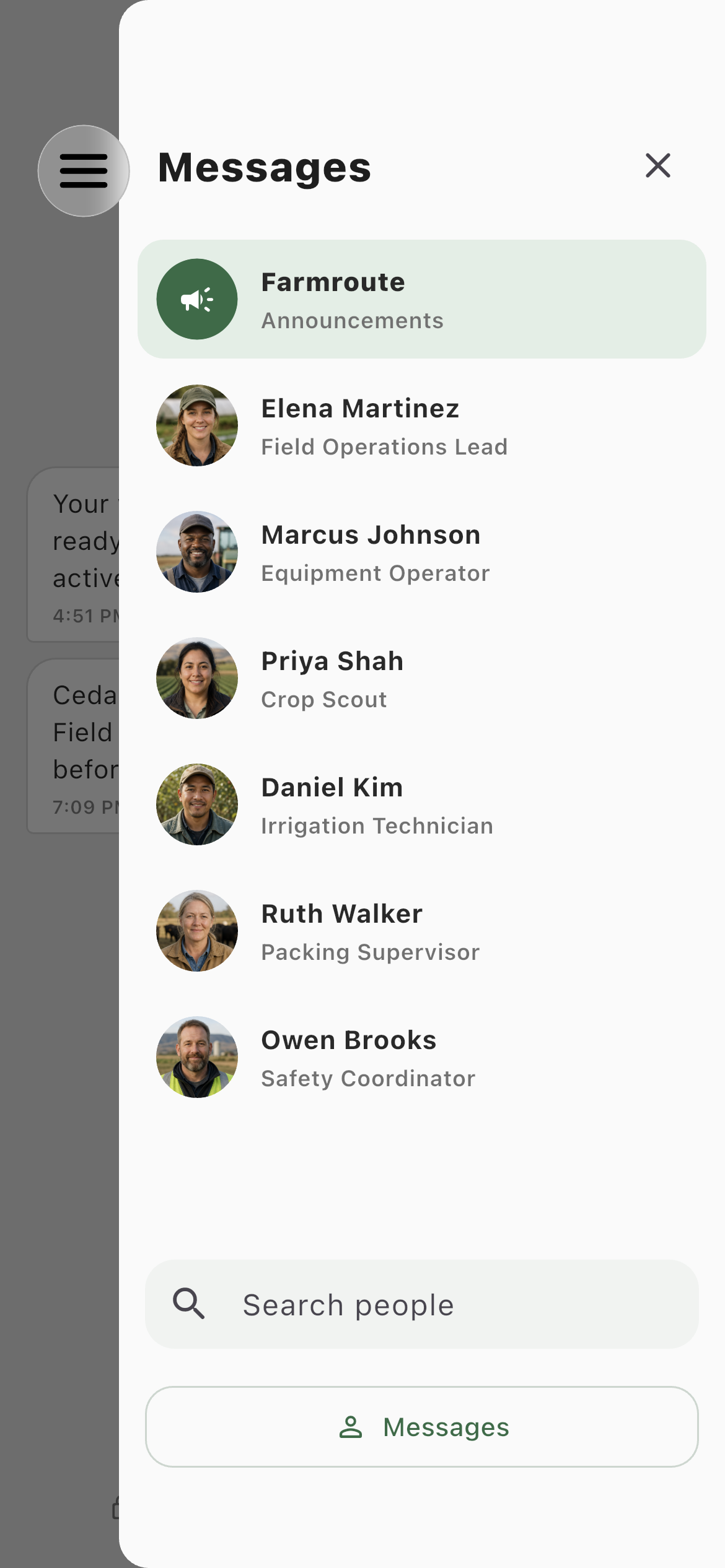
The same relationship from the employee account.Conversation directory03
Farmroute stays pinned while eligible farm relationships appear below.Roles and responsibility
Who does what.
Farm profileKeep the conversation with the worker record.
The farm can message connected workers, pin frequent conversations, mute notifications, and keep prior direct-message history after employment ends.
- See unread state in the directory
- Reply, react, copy, report, or block
- Continue the direct farm relationship after termination
Employee profileTalk to each farm in the correct context.
Workers with multiple farm relationships see each farm separately, so a message never has to rely on a global or ambiguous employer context.
- Farm identity stays visible
- New messages arrive without refreshing
- Offline changes reconcile after reconnect
Complete workflow
From start to finish.
- 01
BothOpen Messages
Use the right-side directory button to reveal available conversations without leaving the page.
- 02
BothChoose the person or farm
Selecting the current conversation also closes the directory, so the chat remains the focus.
- 03
BothSend a message
The message is saved before real-time delivery. The sender updates optimistically without rebuilding the entire page.
- 04
BothReply or react
Hold a message to reply to its exact context, copy its plain text, or apply one or more reactions.
- 05
BothReturn after being offline
Farmroute reconnects the device socket and runs incremental sync from its last acknowledged checkpoint.