See the change while working.
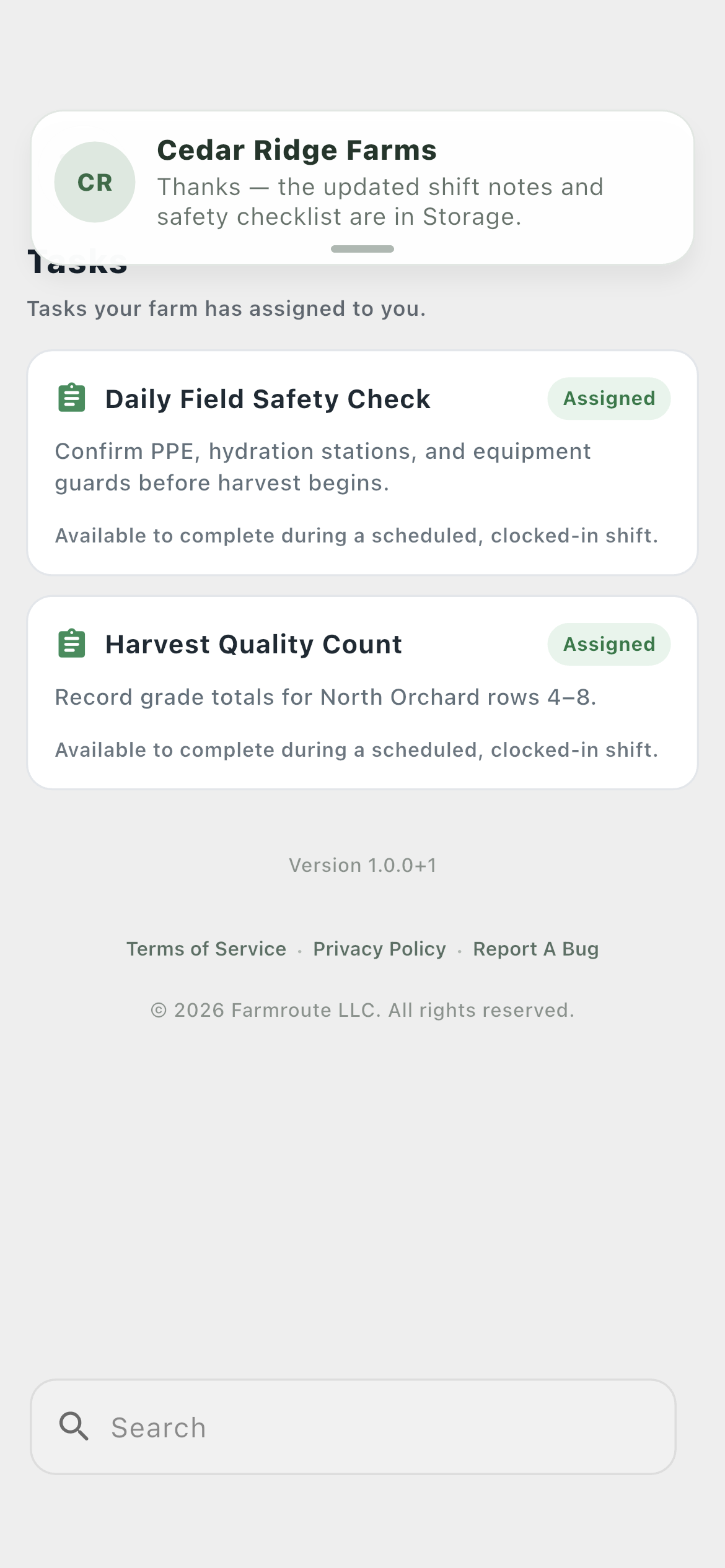
A compact banner slides in for relevant activity outside the conversation or screen already being viewed.
- Tap to open the source
- Swipe up to dismiss
- Pause the timer while dragging
Surface relevant updates without interrupting the conversation a person is already viewing, with channel preferences controlled in Settings.
Inside the app
Actual Farmroute screens from the farm and employee demo accounts.
Roles and responsibility
A compact banner slides in for relevant activity outside the conversation or screen already being viewed.
Settings separate in-app, push, and eligible email notifications by category, while device and operating-system permissions still apply.
Complete workflow
Farmroute creates the message, assignment, membership, or form state in the database first.
The authenticated device socket receives the relevant event without subscribing once per conversation.
The app suppresses redundant banners for the conversation being viewed and respects category delivery choices.
The notice includes the sender or event title and a useful preview rather than a generic alert.
Incremental sync catches anything missed during sleep, disconnection, or a terminated socket.
Get started
We pride ourselves on transparency. No need to call for a quote.