Configure hourly, salary, day, and quantity- or weight-based piece earnings, then add overtime, double time, premiums, bonuses, guarantees, minimums, and deductions in one reusable worker pay policy.
Hourly, salary, day & piece rates
Overtime and double time
Premiums and bonuses
Guarantees and deductions
Inside the app
See the workflow.
Actual Farmroute screens from the farm and employee demo accounts.
01 · Profile structure
Build a reusable pay policy instead of storing one loose rate.
Each named profile contains its base earnings and the optional rules that belong to that type of work. Farms can keep field labor, packing, piece work, and supervisors separate without configuring every worker from scratch.
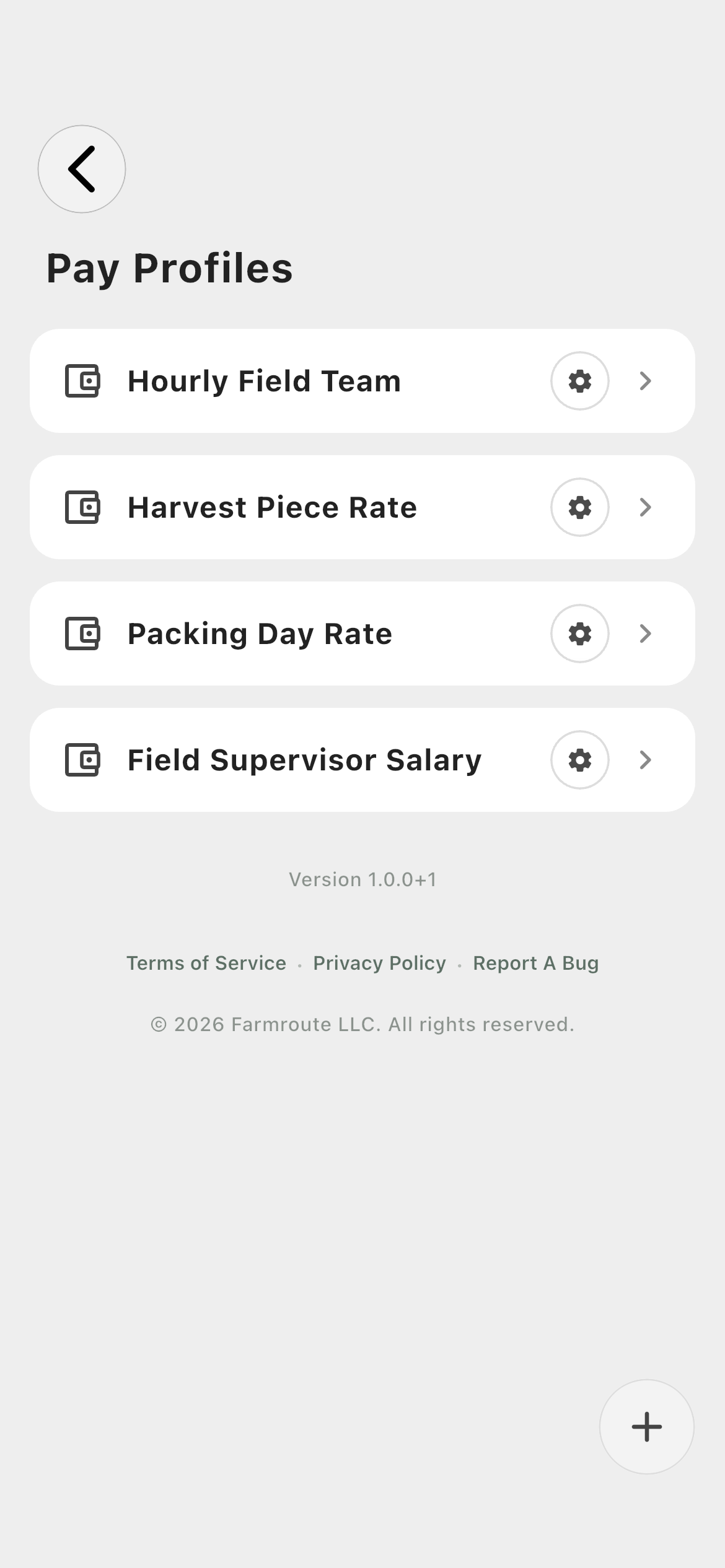
Profile library01
Keep operationally distinct pay structures as named profiles instead of rewriting rates on every worker or shift.
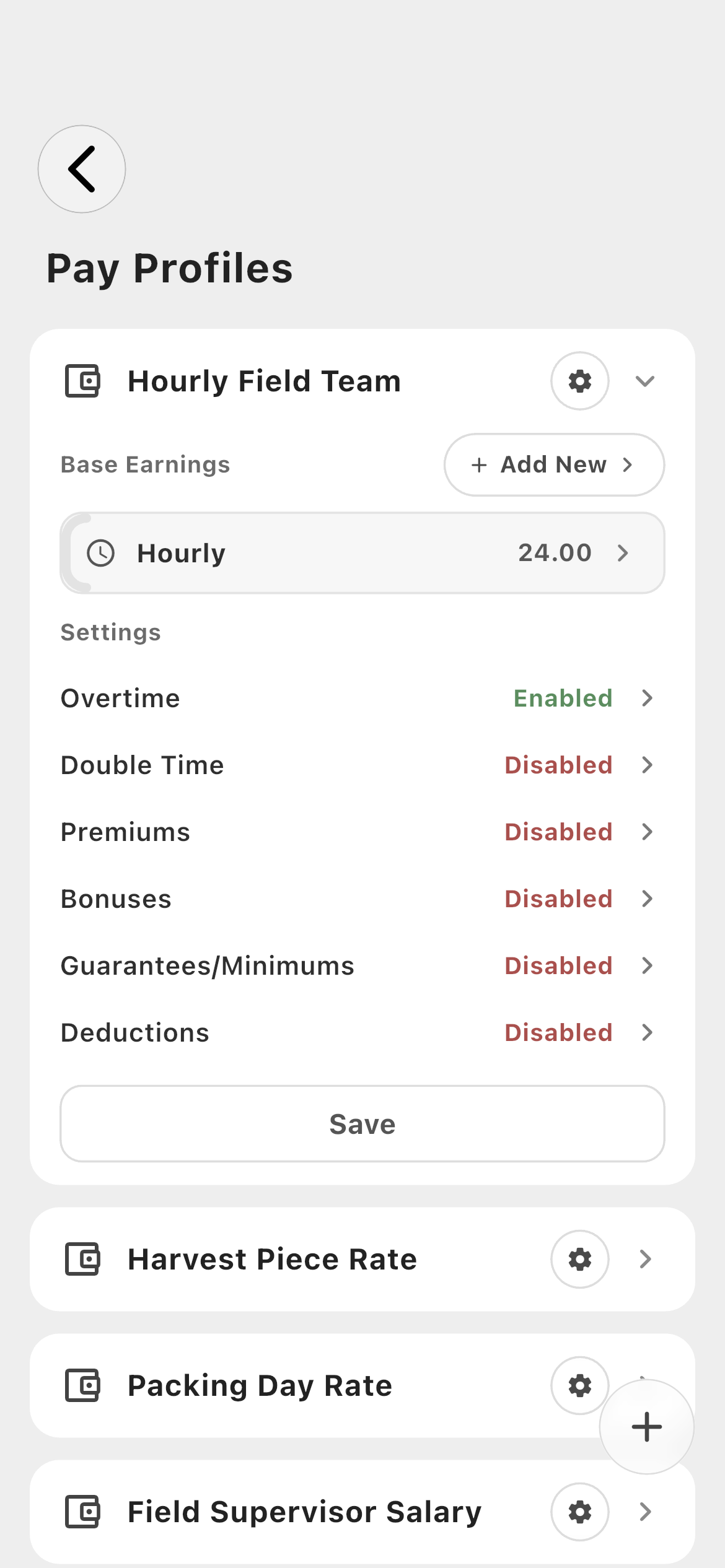
Inside a profile02
Base Earnings define how ordinary work earns money; Settings add overtime, double time, premiums, bonuses, guarantees, and deductions.
02 · Base earnings
Choose how the underlying work earns pay.
Use Hourly, Salary, Day, or Piece Rate as the foundation. Piece Rate can measure either quantity or weight and can override its general rate for specific farm fields.
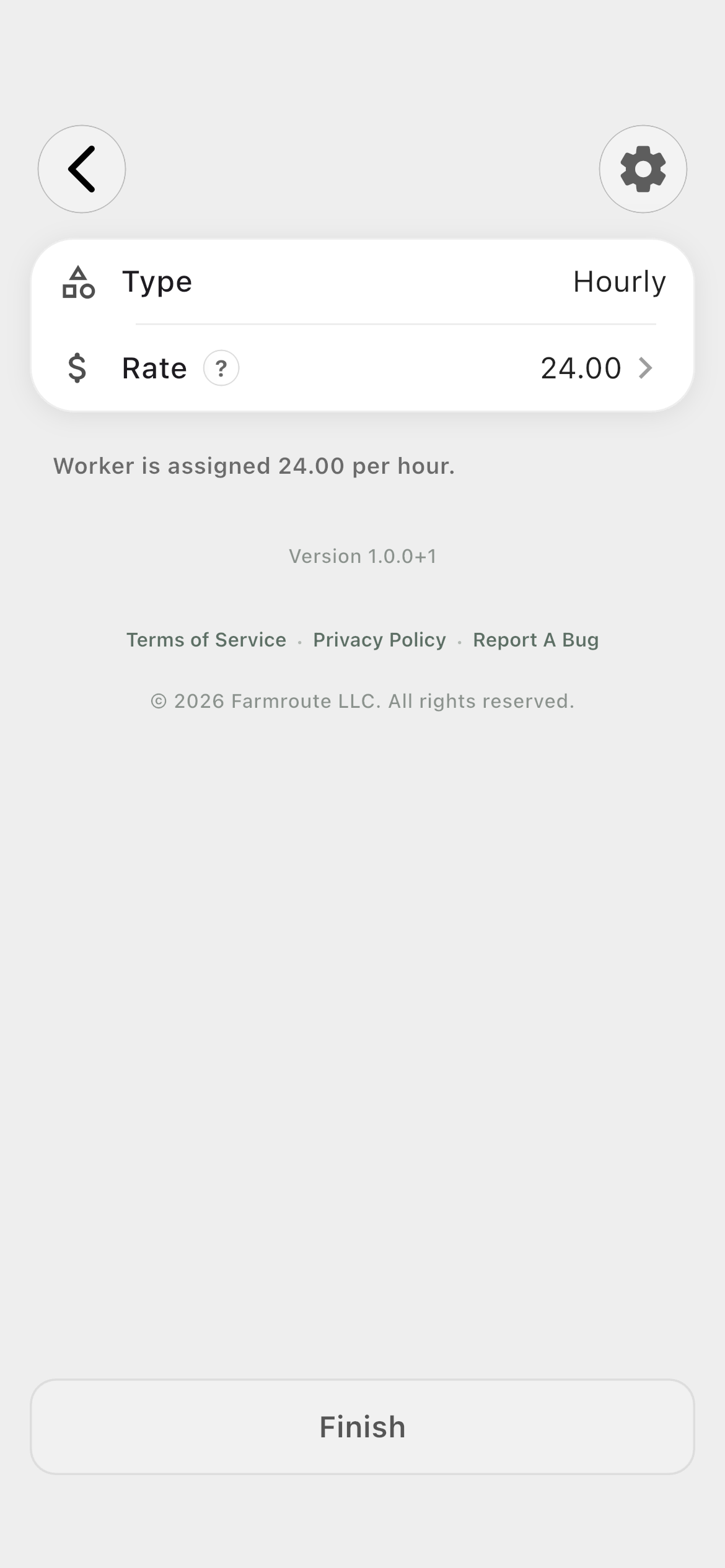
Hourly base rate01
Edit the current profile rate for future work while completed sessions continue using their own historical snapshots.
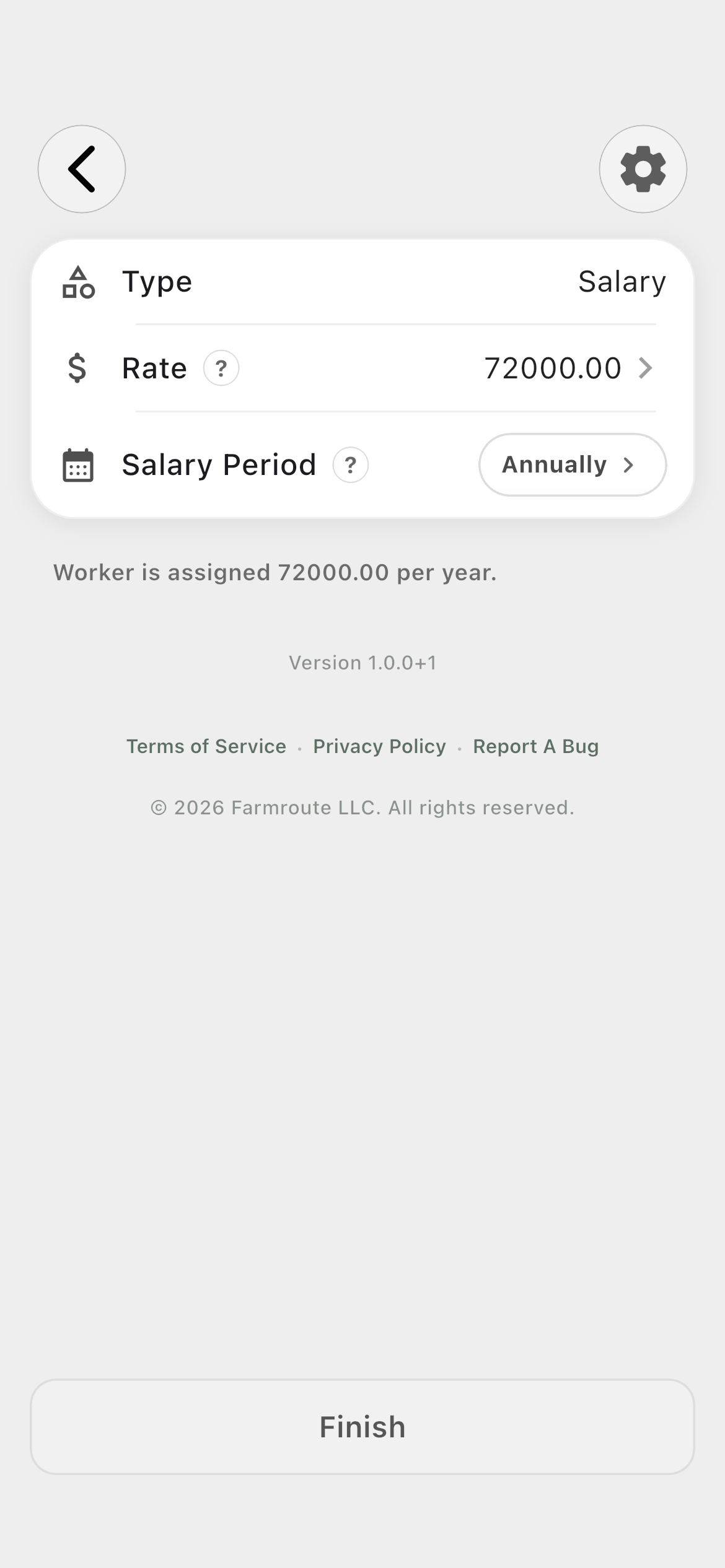
Salary02
Enter the salary and choose whether its period is weekly, bi-weekly, monthly, or annual.
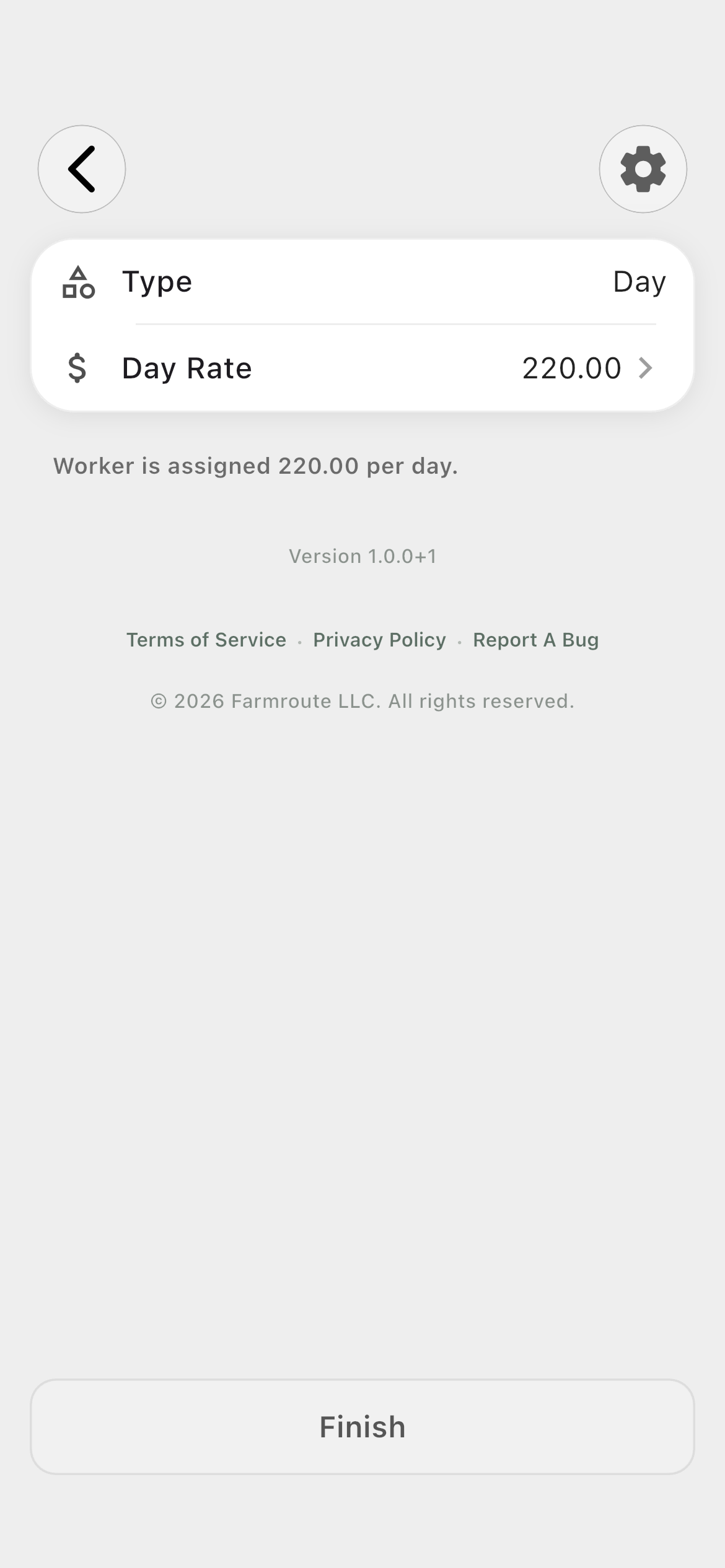
Day03
Define the amount earned for an eligible worked day.
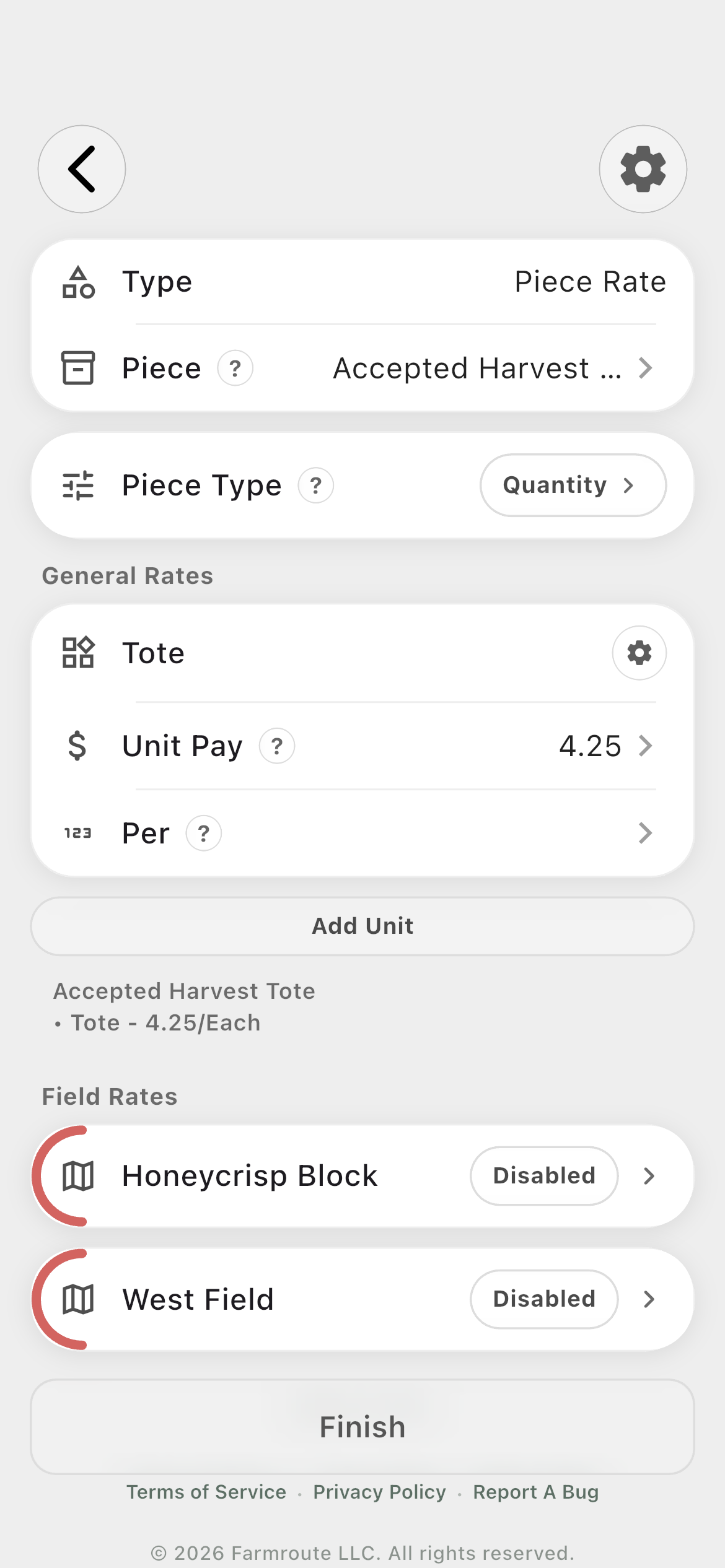
Piece rate · Quantity04
Name the output and define one or more collection units such as totes, trays, bins, or boxes, each with its own rate and quantity basis.
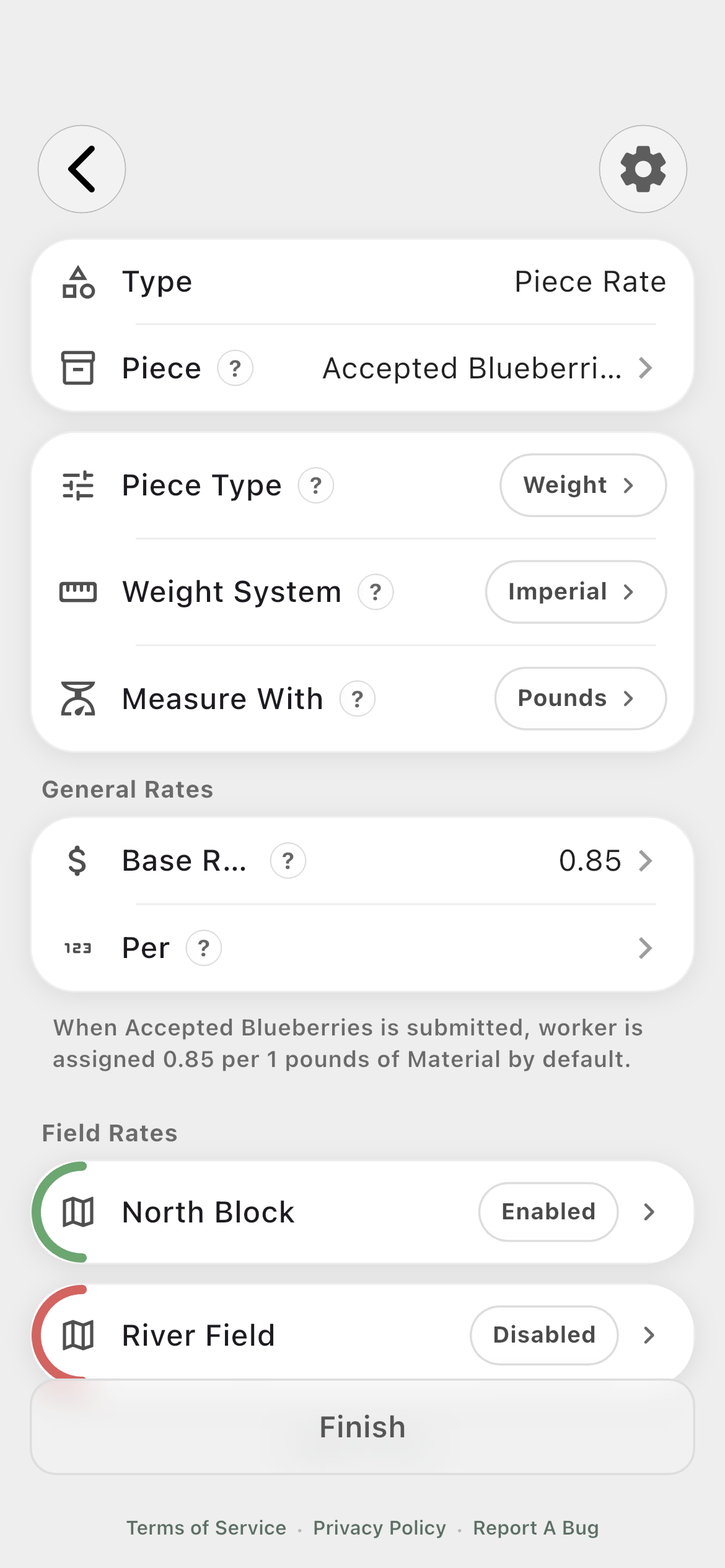
Piece rate · Weight05
Choose metric or imperial weight, select the measurement unit, set the general rate, and enable field-specific overrides only where needed.
03 · Time and condition rules
Describe when ordinary pay changes.
Overtime and double time define threshold bands. Premiums respond to hours, time windows, weekdays, tasks, or fields and apply the configured pay effect.
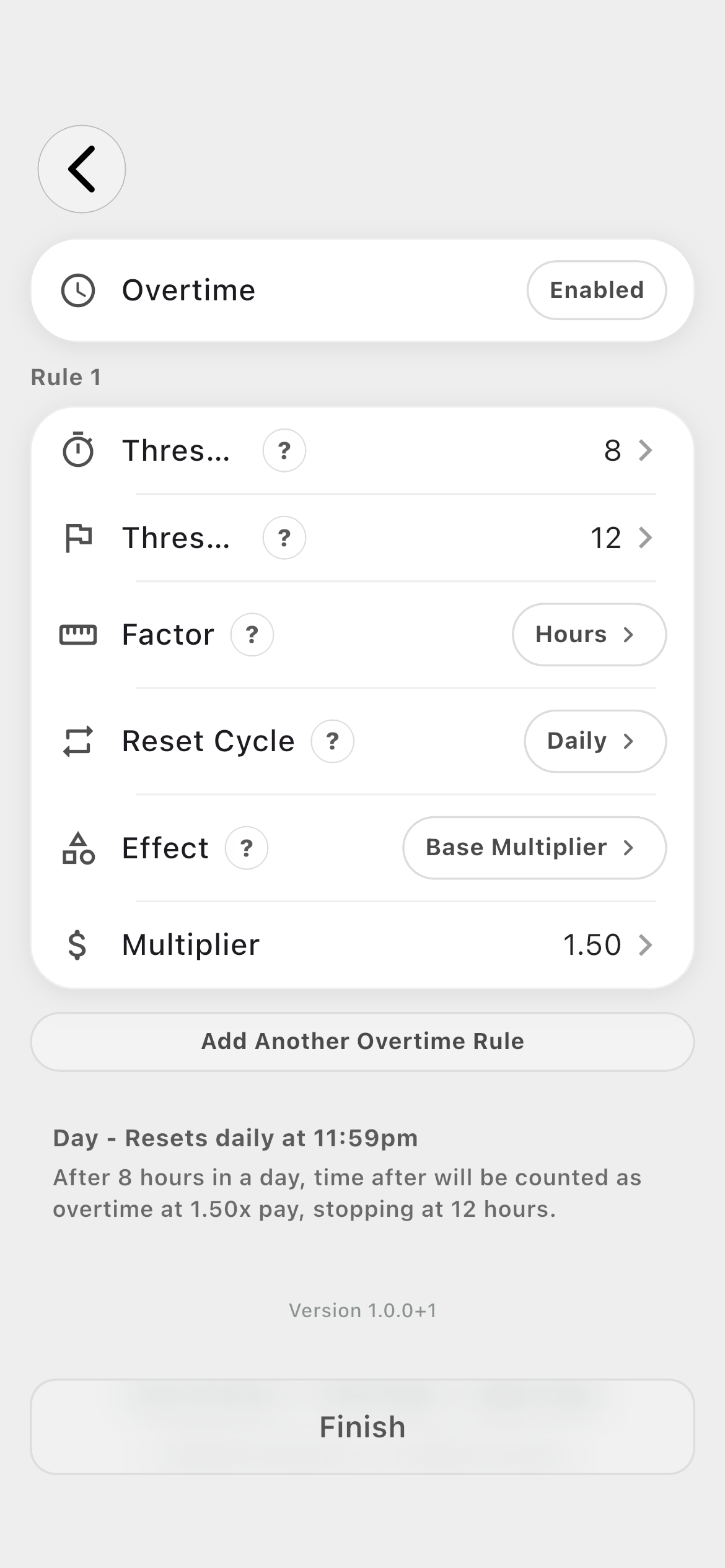
Overtime01
Set threshold start and end, minutes or hours, reset cycle, effect, overlap behavior, and whether the rule overrides a previous one.
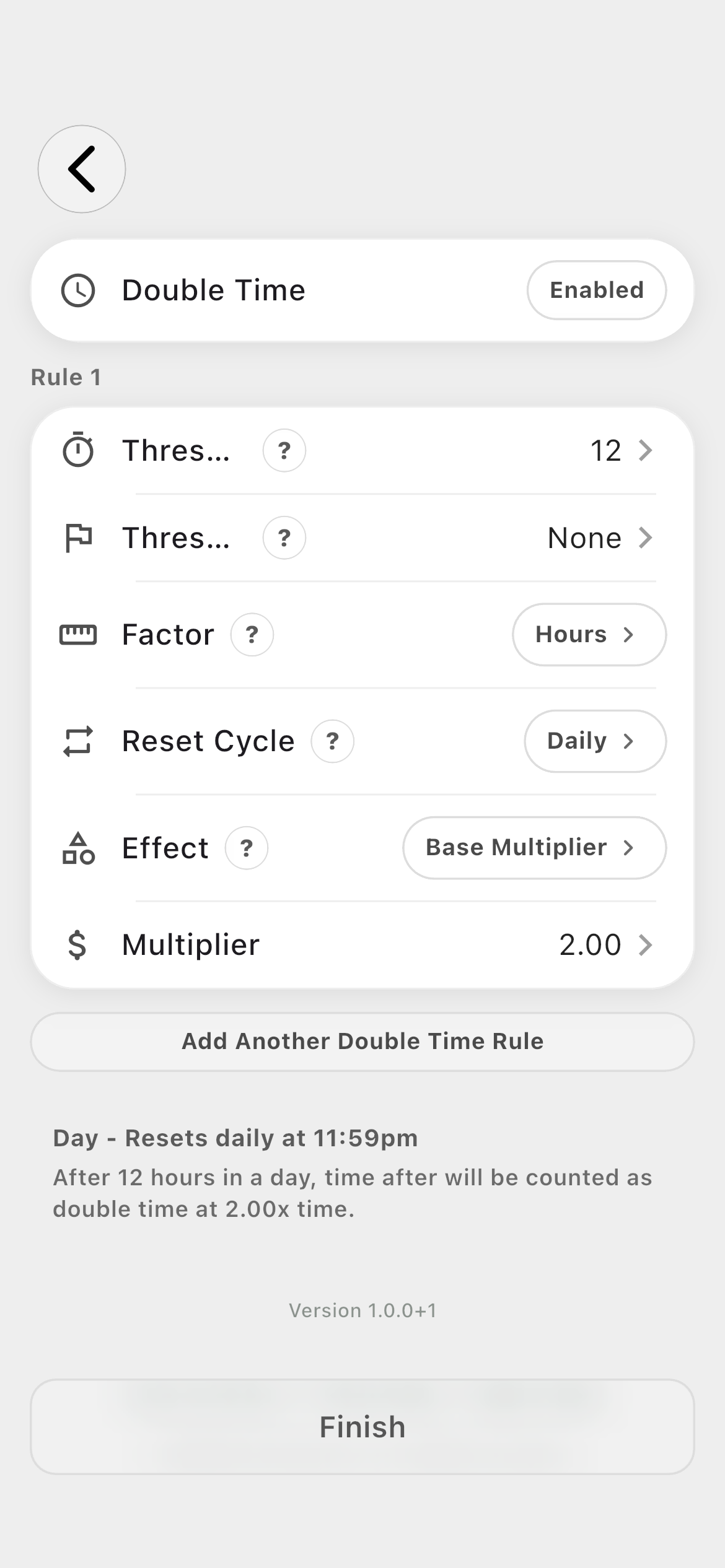
Double time02
Create a separate multiplier band for work that passes the double-time threshold.
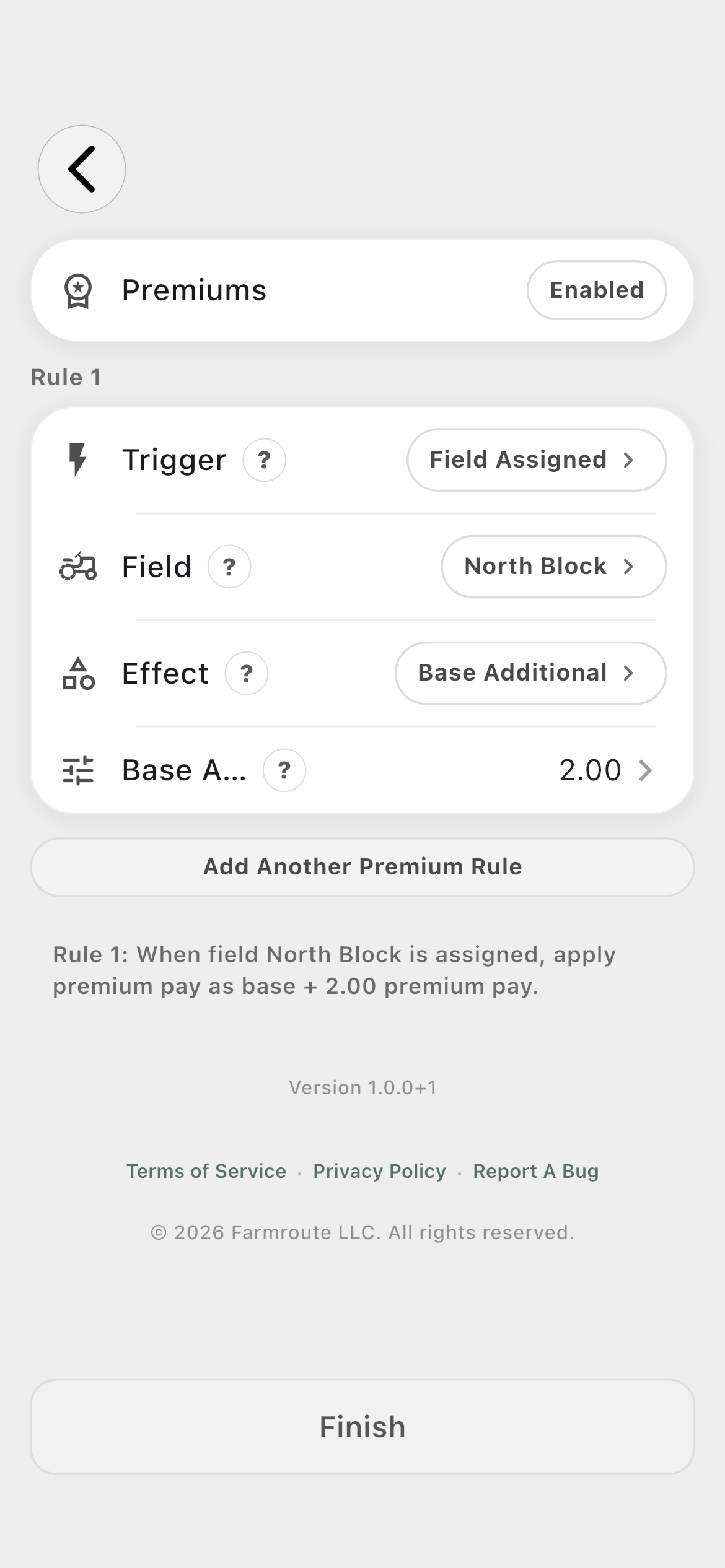
Premiums03
Trigger extra pay from hours worked, a time range, day of week, completed task, or assigned field.
04 · Rewards and safeguards
Add earned bonuses, minimum guarantees, and recorded deductions.
These sections cover policy beyond the base rate: a bonus can reward an event or attendance condition, a guarantee can protect a minimum amount, and a deduction can record a named recurring amount for downstream review.
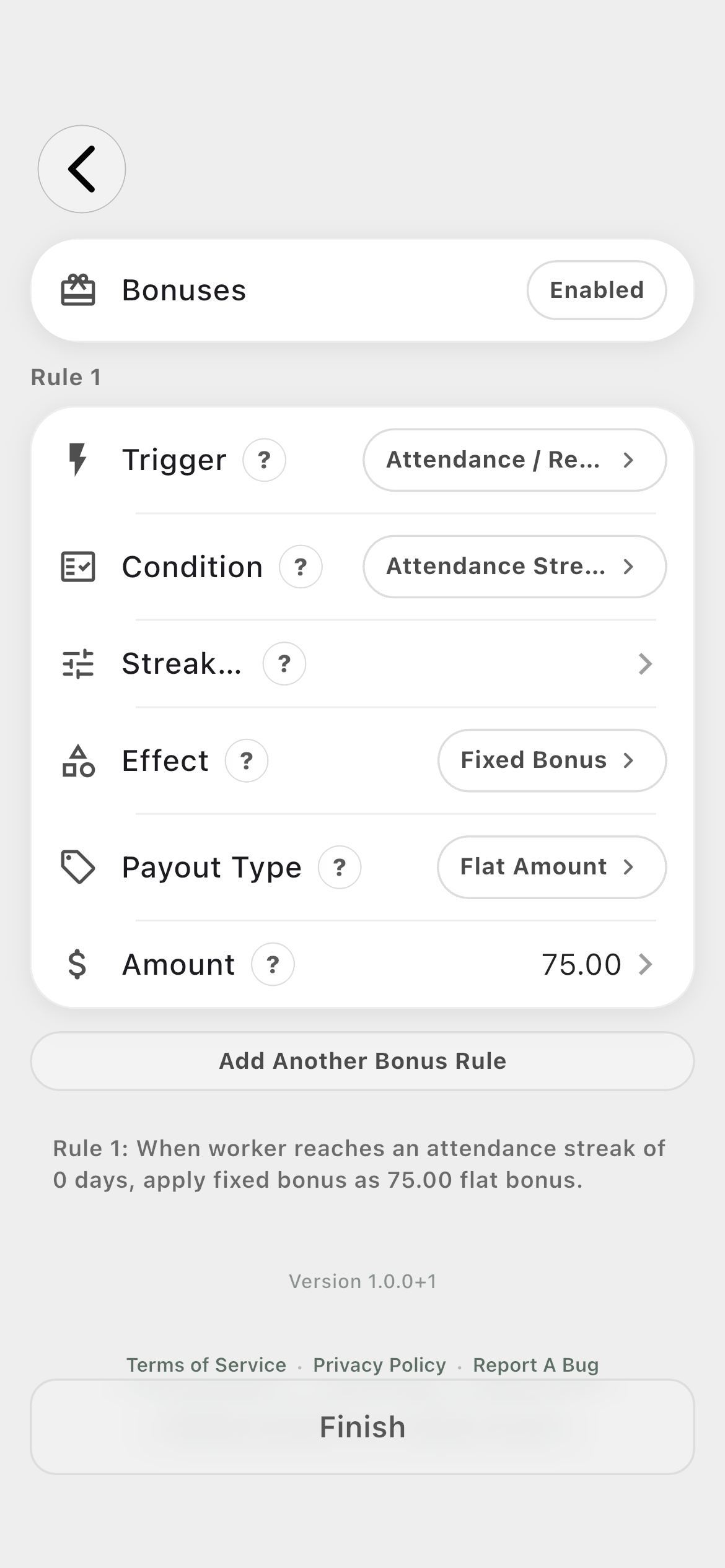
Bonuses01
Reward task completion, time worked, attendance, shift milestones, or a manager-applied event with a flat, per-unit, or per-occurrence payout.
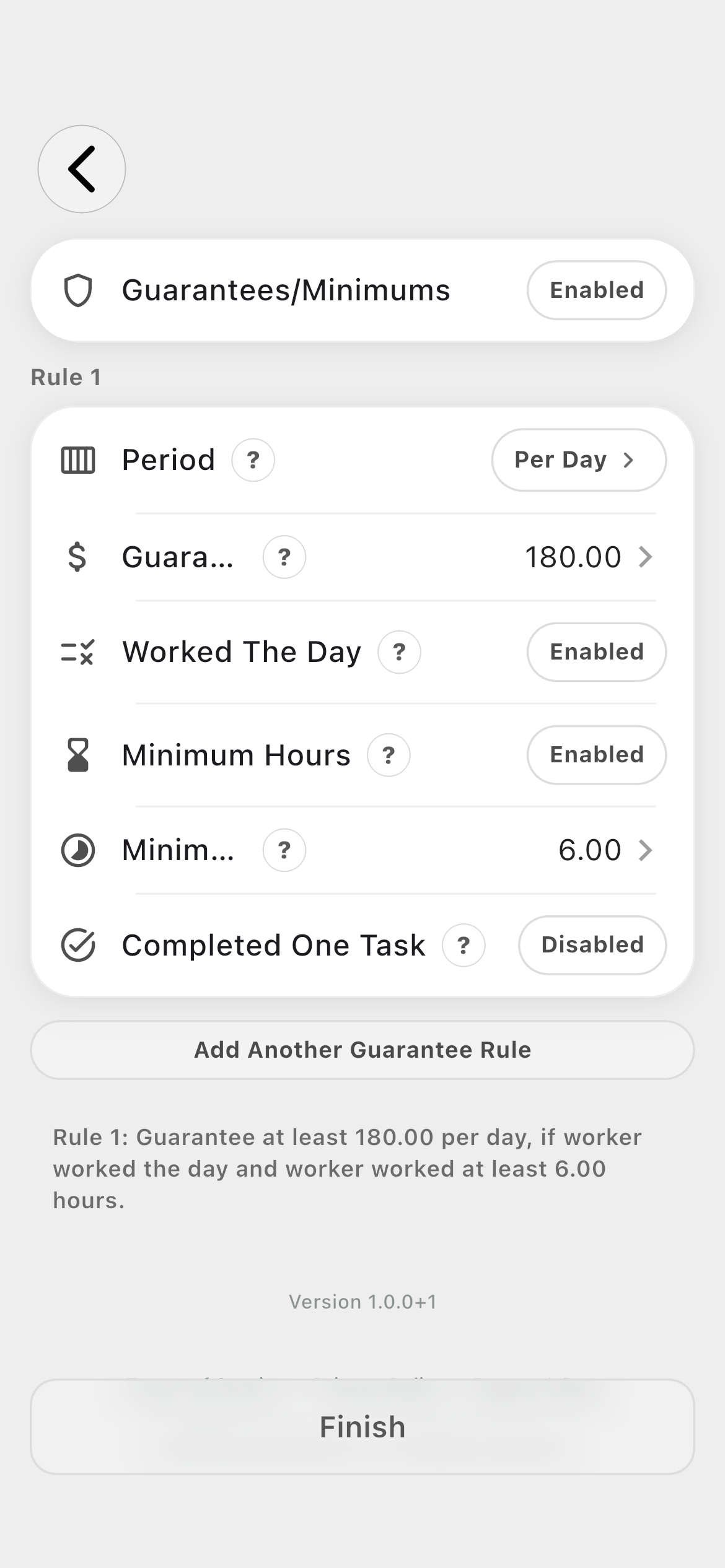
Guarantees / Minimums02
Guarantee a value per shift, day, week, or pay period and optionally require work, minimum hours, or a completed task.
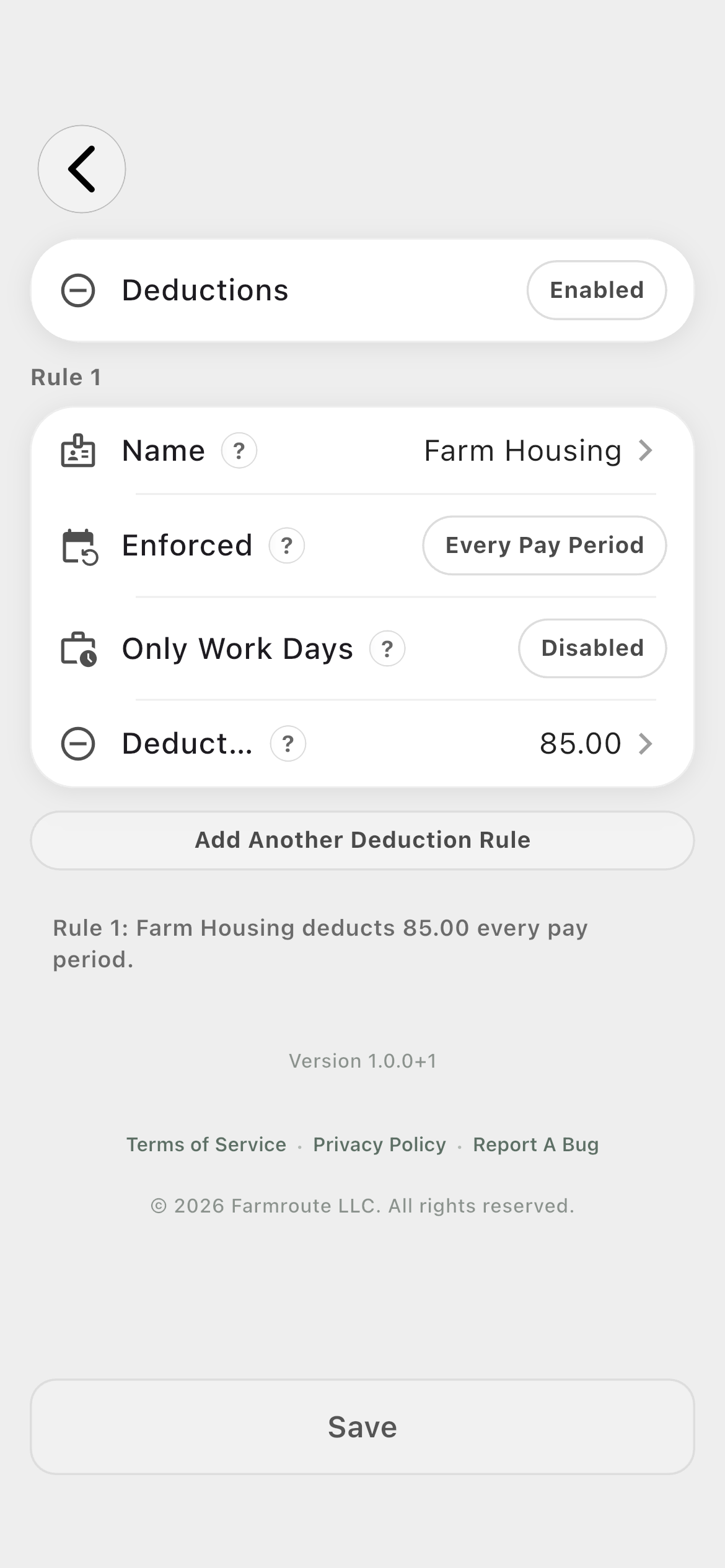
Deductions03
Name the deduction, choose its recurrence, decide whether it applies only on worked days, and enter the amount.
How it works in practice
Built around the workday.
01
Base · Hourly
Pay from exact elapsed clock time.
Hourly base earnings multiply each eligible clock session’s exact duration by the retained hourly rate. The schedule is context; the recorded clock session is the source of worked time.
Rate entered per hour
Exact clock-session duration
Compatible with overtime, double time, and premiums
02
Base · Salary and Day
Represent fixed-period and fixed-day arrangements.
Salary stores both an amount and a weekly, bi-weekly, monthly, or annual period. Day stores a value for an eligible worked day. Keep the method aligned with the farm’s real agreement instead of forcing every arrangement into an hourly rate.
Four salary periods
One day-rate amount
Hourly and Salary together are flagged as conflicting
03
Base · Piece rate
Name the output before defining the rate.
Piece Rate begins with the thing being produced. Quantity mode supports named collection units with independent rates. Weight mode supports metric or imperial measurement. Both can use a general rate and optional field-level overrides.
Quantity or weight
Multiple named quantity units
Metric or imperial weight
Field-specific rate enablement
04
Rule · Overtime
Create a threshold band and reset cycle.
An overtime rule starts at a threshold and can optionally stop at another threshold. Choose minutes or hours, reset daily, weekly, monthly, or annually, and apply a base multiplier or base additional amount.
Threshold start and optional end
Base multiplier or base additional
Allow overlap and override-previous controls
Multiple overtime rules per profile
05
Rule · Double time
Keep the double-time tier distinct.
Double Time uses its own threshold, optional end, reset cycle, and base multiplier. A common structure is overtime after eight daily hours and double time after twelve, but the profile stores the farm’s configured policy.
Minutes or hours
Daily, weekly, monthly, or annual reset
Overlap and override behavior
Multiple double-time rules
06
Rule · Premiums
Respond to the conditions surrounding the work.
Premiums can trigger from hours worked, a time window, a weekday, a completed task, or an assigned field. The effect can add to the base, multiply it, or award a fixed bonus according to the selected rule.
Hours and reset cycles
Day and time windows
Task and field context
Additional, multiplier, or fixed effect
07
Rule · Bonuses
Reward outcomes, reliability, or manager decisions.
Bonus triggers cover task completion, time worked, consecutive or specific-day work, attendance and reliability, shift milestones, and manager-applied events. Payout can be flat, per unit, or per occurrence.
Attendance and shift milestones
Task or time triggers
Manager-applied bonus
Multiple bonus rules
08
Rule · Guarantees
Protect a configured minimum under explicit conditions.
A guarantee applies per shift, day, week, or pay period. It can require that the worker worked that day, met a minimum-hour threshold, completed a task, or satisfied a combination of those conditions.
Four guarantee periods
Worked-day requirement
Minimum-hours requirement
Completed-task requirement
09
Rule · Deductions
Record a named recurring deduction separately from gross.
Deductions can recur every pay period, day, week, two weeks, month, or year, with an option to limit them to worked days. They remain clearly identified rather than being hidden inside a base rate.
Named amount
Six recurrence choices
Worked-days-only control
Gross remains labeled before deductions
Roles and responsibility
Who does what.
Farm profile
Design the compensation policy once, then reuse it.
Farm profiles create and edit Pay Profiles, configure their base earnings and rules, and assign the appropriate profile to each worker record.
Named reusable profiles
Base earnings plus optional rule sections
Worker-level assignment
Applied work
Carry the configured profile into the work record.
Clock sessions and eligible piece-producing tasks retain the profile context that applied when the work occurred. The resulting estimate can be reviewed without turning the Pay Profile guide into a snapshot-repair workflow.
Exact clock time for hourly work
Structured quantity or weight for piece work
Historical source values remain stable
Complete workflow
From start to finish.
01
Farm
Create and name the profile
Use an operational name that tells an administrator where it belongs, such as Hourly Field Team, Harvest Piece Rate, Packing Day Rate, or Field Supervisor Salary.
02
Farm
Choose the base earning method
Select Hourly, Salary, Day, or Piece Rate. Avoid combining Hourly and Salary in the same profile because Farmroute flags them as conflicting compensation methods.
03
Farm
Enter the base terms
Set the hourly rate, salary amount and period, day rate, or the piece name, measurement type, units, and general rate.
04
Farm
Add field rates for piece work
If a particular field pays differently, enable only that field and enter its override; all other fields continue using the general piece rate.
05
Farm
Configure overtime
Set the threshold band, factor, reset cycle, pay effect, and any overlap or override behavior. Add more rules when the policy contains more than one tier.
06
Farm
Configure double time
Define the later threshold and multiplier independently so overtime and double time do not become one ambiguous rule.
07
Farm
Add conditional premiums
Choose the work condition—hours, time, weekday, task, or field—and then define the extra pay effect.
08
Farm
Add bonuses
Choose the task, time, attendance, milestone, or manager trigger, then set the payout basis and fixed bonus amount.
09
Farm
Add guarantees or minimums
Select the period and guarantee value, then enable only the worked-day, minimum-hour, or completed-task requirements that apply.
10
Farm
Record deductions
Name each deduction, choose its recurrence, set the amount, and decide whether it applies only to days with work.
11
Farm
Finish and assign the profile
Save the complete profile and select it on the relevant worker record before eligible work begins.
12
Farmroute
Apply it to future work
Clock sessions and piece task records use the assigned profile context. Later profile edits are intended for future work rather than silently rewriting completed source records.
Questions and answers
Frequently asked questions.
What sections can a Farmroute Pay Profile contain?
A profile can use Hourly, Salary, Day, or quantity- or weight-based Piece Rate base earnings. Its currently exposed settings are Overtime, Double Time, Premiums, Bonuses, Guarantees/Minimums, and Deductions.
How do quantity and weight piece rates differ?
Quantity uses named collection units with a pay amount and quantity basis. Weight uses metric or imperial measurements such as kilograms or pounds. Both support a general rate and optional field-specific overrides.
Can a Pay Profile contain multiple rules?
Yes. Overtime, Double Time, Premiums, Bonuses, Guarantees/Minimums, and Deductions can each contain multiple rules when the farm’s policy requires them.
What can trigger a premium?
A premium can respond to hours worked, a time window, a day of week, a completed task, or an assigned field, then apply an additional amount, multiplier, or fixed bonus effect supported by the editor.
Does changing a Farmroute Pay Profile change work already completed?
It should not. Completed clock sessions and eligible piece records retain the pay context captured for that work, while editing the live profile applies to future work.
Do deductions turn Farmroute into a net-pay processor?
No. Farmroute can record named deduction rules for review, but the displayed earnings estimate remains gross. Farmroute does not calculate tax withholding, direct deposits, filings, or net pay.
Get started
Build your operation with Farmroute.
We pride ourselves on transparency. No need to call for a quote.